
Blog
How to Choose a Laptop in 2026: A Local Guide for Romford Residents
Buying a new laptop should be exciting, but with so many models, technical terms and price tags, it can quickly become confusing. Whether you are a student heading off to university, a professional working from home in Romford, or a small business owner needing a reliable machine, this guide will help you cut through the noise. We have put together the key points from trusted sources to help you make a smart choice without the headache.
Start With Your Needs, Not the Hype
Before looking at any specifications, think about how you will actually use the laptop. Retailers such as Microsoft and Currys recommend matching the machine to the kind of tasks you do most. Microsoft groups users into categories: the multitasker, the student, the creator, the gamer, the AI enthusiast, and the entertainment fan. Each group needs a different balance of speed, graphics and battery life. If you mostly browse the web, watch videos and write documents, you do not need a machine built for gaming. If you edit photos or video, you will want a faster processor and more memory. Write down your main activities – it makes everything else easier.
Key Specifications Explained
Once you know what you need, the technical specs start to make sense. Here are the main components to consider.
Processor (CPU)
The processor is the brain of the laptop. For everyday tasks like email, browsing and Office work, a mid-range Intel Core i5 or AMD Ryzen 5 will be plenty. If you do heavy video editing or run complex applications, step up to an i7 or Ryzen 7. Avoid the lowest-end chips if you want the machine to stay responsive for several years.
Memory (RAM)
RAM lets your laptop handle multiple tasks at once. For most people, 8GB is the minimum you should accept in 2026. If you often have many browser tabs open, work with large files or use demanding software, 16GB is a safer bet. A local repair expert can often upgrade RAM later if needed – a RAM upgrade typically costs between £40 and £80 if you have less than 8GB, according to advice from a Harold Hill computer service. That is usually cheaper than replacing the whole machine.
Storage (SSD vs HDD)
A solid-state drive (SSD) is essential for speed. Unlike older hard drives, an SSD makes your laptop boot up in seconds and open programs quickly. Industry guidance recommends at least 256GB of SSD storage. If you like to download movies and music, or you edit images and video, go for 1TB. Most new laptops now come with SSDs, but double-check before buying.
Display and Battery Life
Screen size affects portability. A 14-inch or 15.6-inch screen is a good balance for most people. Look for a resolution of at least 1920×1080 (Full HD). If you can, see the screen in person before buying – some cheaper models have poor viewing angles. Battery life varies a lot. For example, one recent review highlighted the 14-inch HP OmniBook 5 for its outstanding 34-hour battery life, which would be ideal for long days out of the house. Consider how often you will be away from a plug socket.
Graphics (GPU)
If you are a gamer, video editor, or work with 3D design, you need a dedicated graphics card (GPU). For standard office and web use, the integrated graphics built into the processor are perfectly fine and save money and battery life.
Think About the Operating System
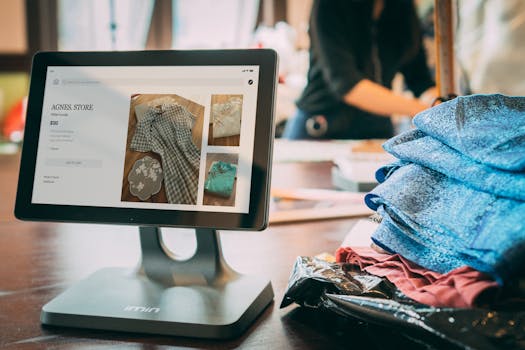
Most laptops run either Windows, macOS or Chrome OS. For the vast majority of Romford residents and small businesses, Windows remains the most flexible choice, with the widest range of software and price points. Chrome OS is simpler and cheaper but relies on an internet connection for many apps. macOS is exclusive to Apple and is not covered by the repair services offered at ILL IT Solutions. Choose the system that works with the programs you already use.
Set a Realistic Budget
Laptops can cost anywhere from a few hundred pounds for a basic model to over two thousand for a high-end machine. A budget of around £400 to £700 will get you a very capable machine for everyday use. For creative work or gaming, expect to spend from £800 upwards. Do not be fooled by flashy marketing – sometimes a slightly older model with similar specs can save you a good amount. Always compare prices across a few retailers such as Currys, Harvey Norman, or LaptopOutlet. Harvey Norman, for instance, offers a laptop buying guide and expert advice at its stores if you prefer to see the device in person.
Should You Repair or Replace Your Old Laptop?
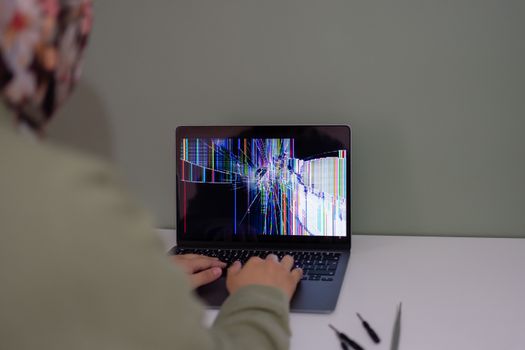
If your current laptop is slow or has a fault, it might be worth fixing rather than buying new. A simple upgrade such as adding more RAM or swapping a hard drive for an SSD can breathe new life into a machine. Virus and malware removal is another common fix, and it is almost always cheaper than replacement – charges for this service are typically between £40 and £60. A RAM upgrade, if you have less than 8GB, is an easy win at £40 to £80. If the repair cost is more than half the price of a new equivalent laptop, replacement may be the smarter financial decision. Local repair shops in the Romford area, including ILL IT Solutions in Chadwell Heath, can give you honest advice on whether your computer is worth repairing. They focus on removing the stress and confusion around technology, offering plain-English help.
Where to Get Help in Romford
If reading specs still feels like a foreign language, you are not alone. Many local computer shops in Romford, Harold Hill, and Chadwell Heath offer buying advice and can even help you set up a new laptop. For example, the team at ILL IT Solutions specialises in PC and laptop repairs, diagnostics, hardware upgrades, and data transfer – so if you buy a new machine, they can transfer your files from the old one and ensure everything is working. They also offer virus removal and optimisation services. Using a local expert means you get support without the call centre frustration, and you are keeping your money in the local economy. Remember, if you own an Apple device, check with the shop first as some local businesses do not repair Macs.
Frequently Asked Questions
How much storage do I really need on a new laptop?
For most people, a 256GB solid-state drive (SSD) is the minimum recommendation. If you download lots of movies, music, or edit photos and video, consider 1TB. An SSD makes your laptop much faster than an old-fashioned hard drive, so always choose an SSD if you can.
Is 8GB of RAM enough in 2026?
8GB is the absolute minimum for a smooth experience with typical tasks like web browsing, email, and Office work. If you multitask heavily or use demanding software, 16GB is strongly recommended. RAM upgrades are possible on many laptops and cost around £40 to £80, which can extend the life of a machine.
Where can I get laptop advice in Romford?
You can visit local electrical retailers like Currys for a buying guide, or speak to independent computer repair shops such as ILL IT Solutions in Chadwell Heath. They offer jargon-free advice and can help you choose a laptop that suits your needs, as well as offer setup and data transfer services.
Should I buy a cheap laptop or a more expensive one?
It depends on your usage. A cheap laptop around £300 may handle basic tasks but will likely feel slow within a year. Spending £400 to £700 gives you a much better build, faster performance, and longer life. For gaming or creative work, budget over £800. Always compare specs rather than just the price tag.
What does a virus removal service cost?
Virus and malware removal is almost always cheaper than buying a new laptop. Typical charges from local repair shops are between £40 and £60. If the laptop is otherwise working well, cleaning it up can save you a significant amount compared to a replacement.
Choosing a laptop does not have to be stressful. Focus on what you need the machine to do, learn the basics of the key components, and do not be afraid to ask a local expert for help. Romford residents have many good options, whether you prefer the hands-on approach of a store like Harvey Norman or the personal service of a community repair shop like ILL IT Solutions. Take your time, compare, and you will find a laptop that serves you well for years to come.
